You are Browsing Ortery ProductsOrtery Technology is quite excitingExamples of fine photographyblogOrtery support is excellantContact Ortery Today for assistance .


3D PhotoArm 2000

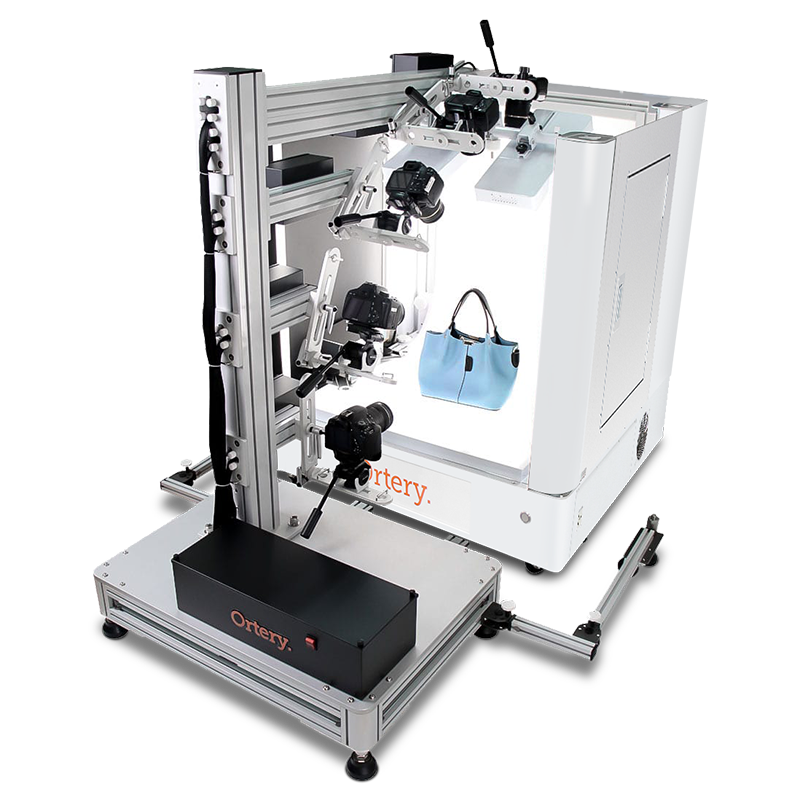
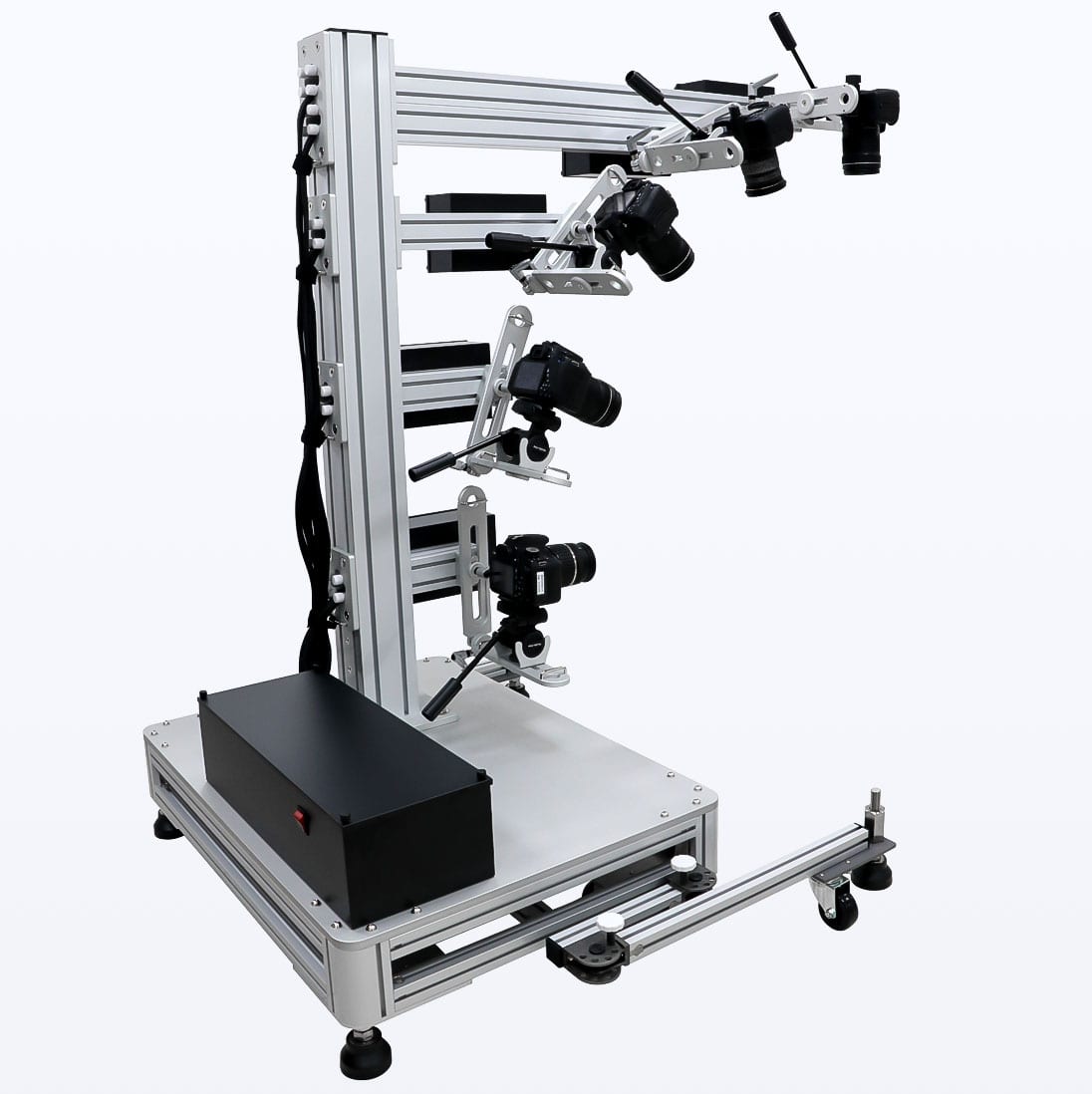
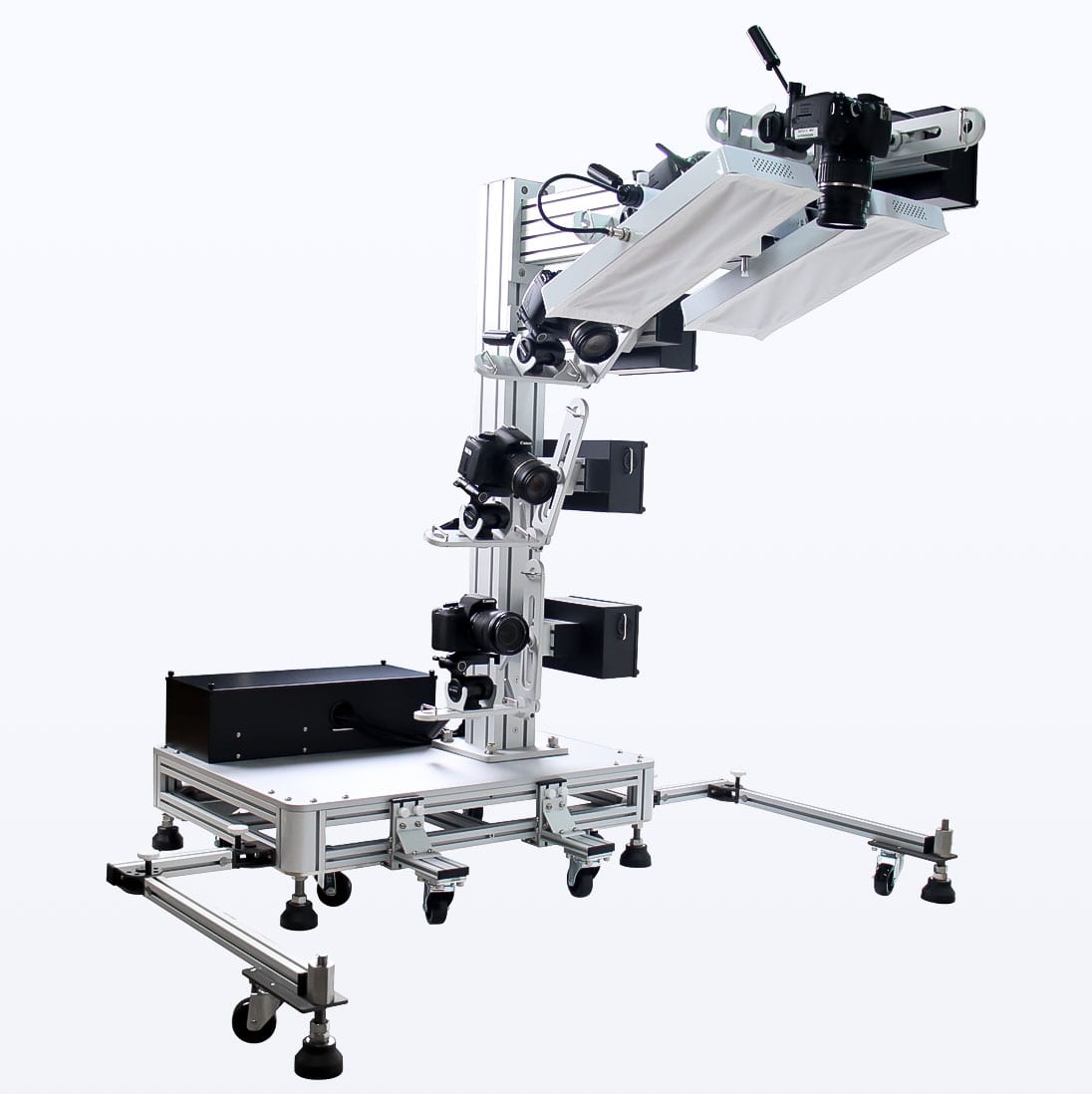
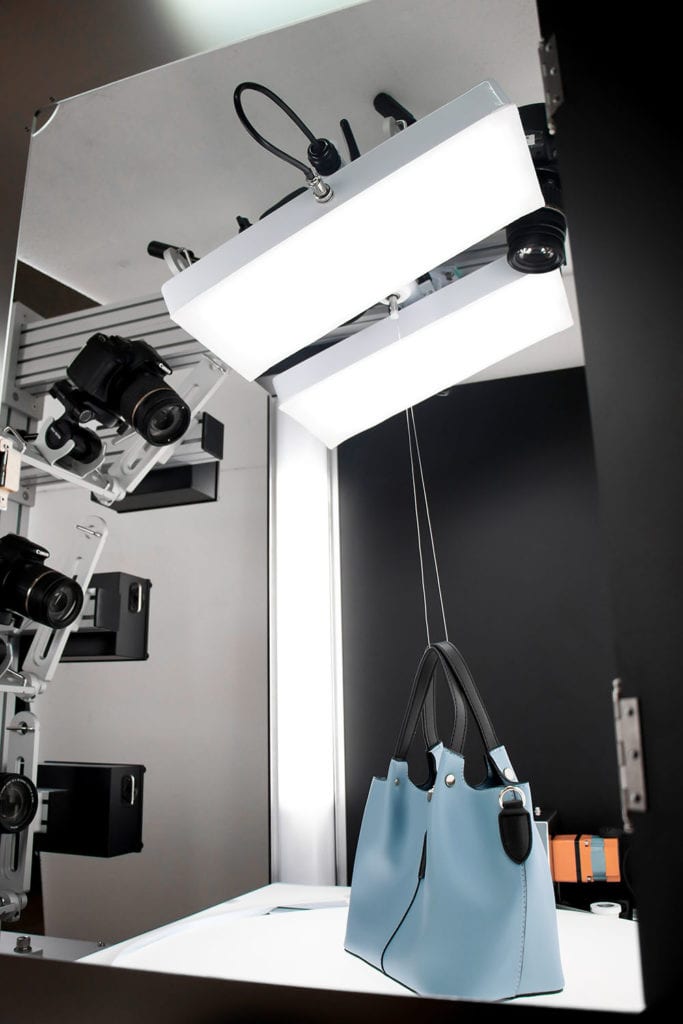
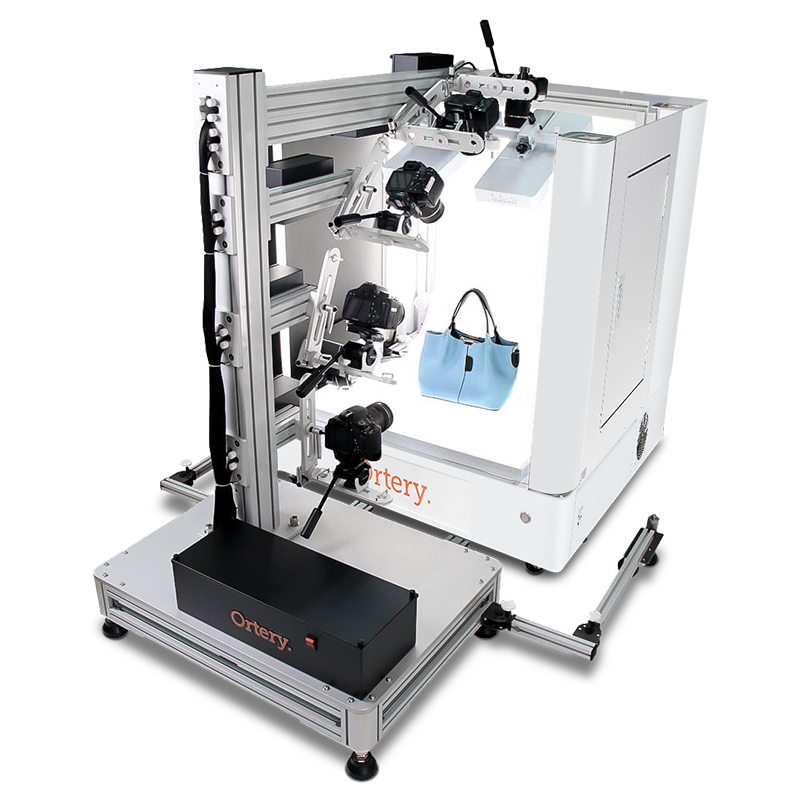
Built specifically for hemispherical and spherical object photography, the 3D PhotoArm 2000 controls the important variables that make creating 3D animations a success.

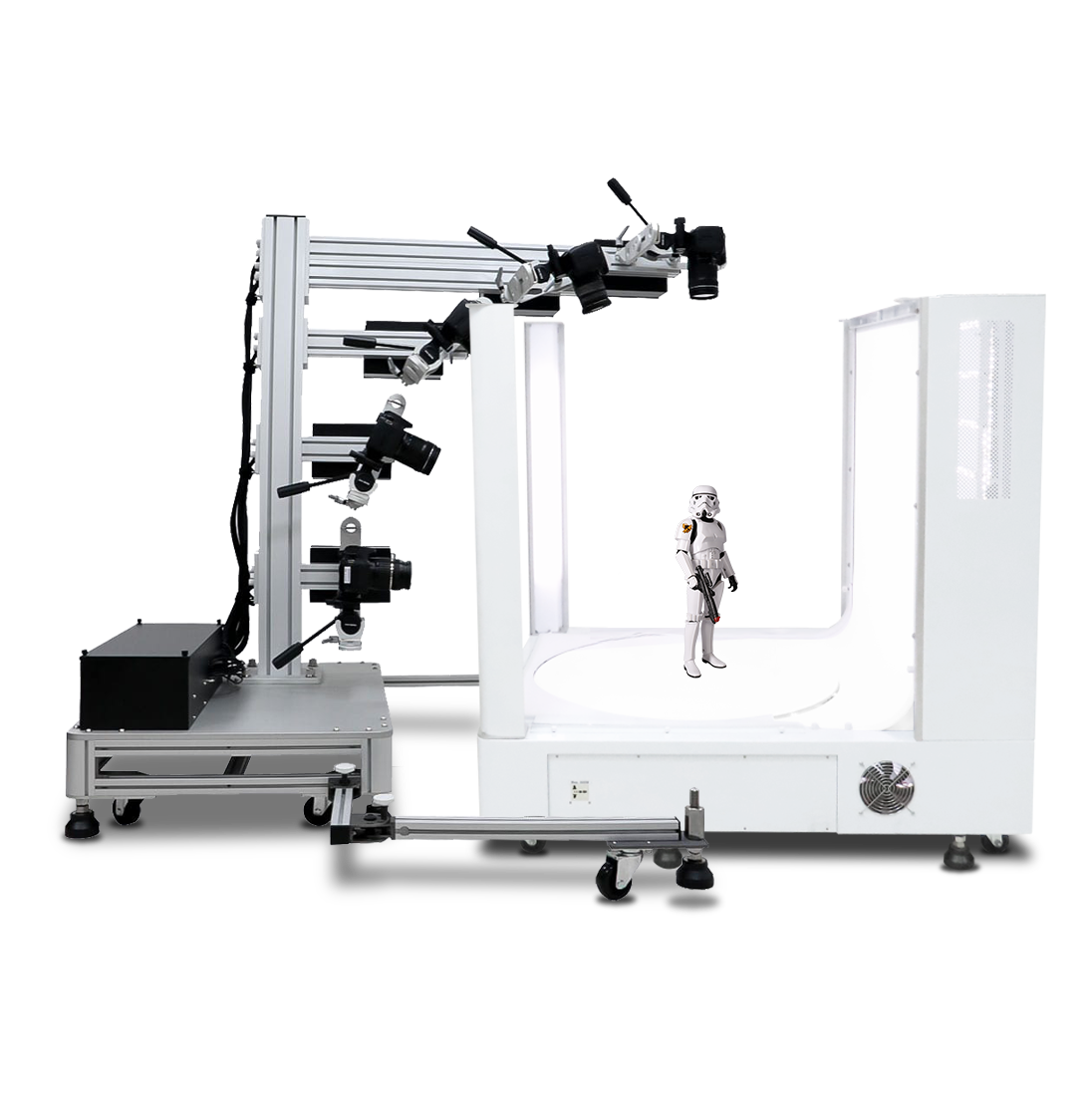
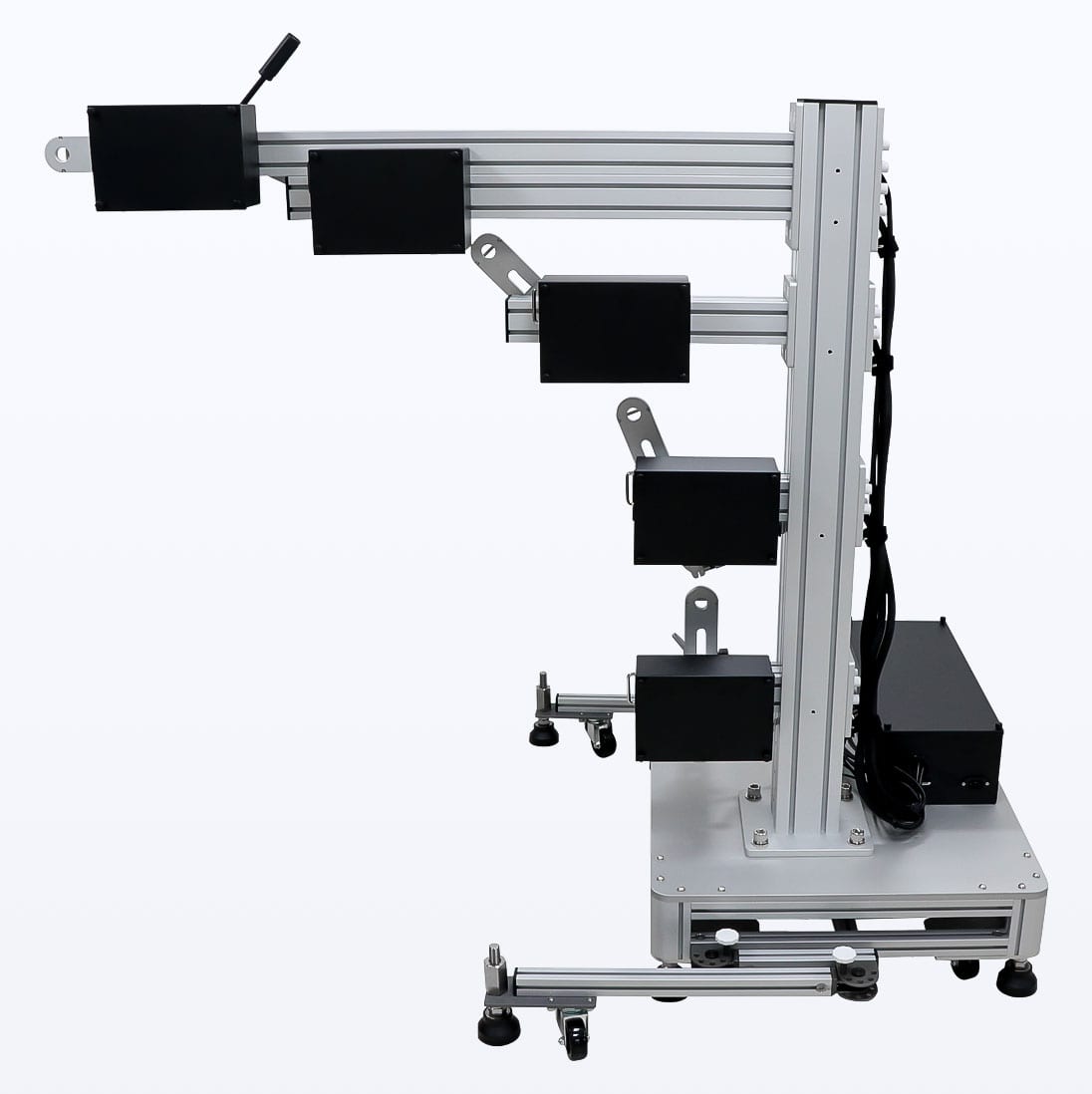
With a 61.8" vertical arm and a horizontal reach of 30.1”, the 3D PhotoArm 2000 is large enough to photograph most items from any angle.

The 3D PhotoArm also comes with Ortery TruView 3D software for immediately composing captured images into interactive cylindrical, hemispherical and full spherical animations in Silverlight, Flash and HTML+JavaScript formats.

View the 3D PhotoArm in Action
See Example Animations


For Who?

For professionals who intend on presenting an object, to online and offline audiences, in 360 or 3D formats.

For What?

To professionally and consistently take pictures of products in a cylindrical, hemispherical or spherical fashion to communicate product details more effectively.  Applications include: eCommerce, product design, quality control and general business communication.

  • Overview
  • How It works
  • Example
  • Features & Benefits
  • Specifications
  • Flexible Camera Positioning and sturdy design delivers any camera to any position.
  • Camera height and tilt can be quickly adjusted to ensure optimal performance when capturing images for the creation of cylindrical, hemispherical and full spherical animations.
  • The 3D PhotoArm features a patented system for delivering power and USB connectivity to the camera.
  • They system ensures proper alignment and results.
  • When utilized with a PhotoCapture 360 Series turntable from Ortery, image capture and processing are automated.
  • The Ortery TruView 3D software (included) turns still JPG shots into cylindrical, hemispherical or full spherical animations. Each animation features deep zoom and can be output in Flash, Silverlight or HTML+JavaScript. Perfect for eCommerce, mCommerce and business communication.

3D animations featuring deep zoom capabilities produced enhanced visual communication results for all related applications:

    • eCommerce
    • Presentations
    • Product Design and Development
    • Quality Control
    • Daily Business Communication
    • Mobile Commerce


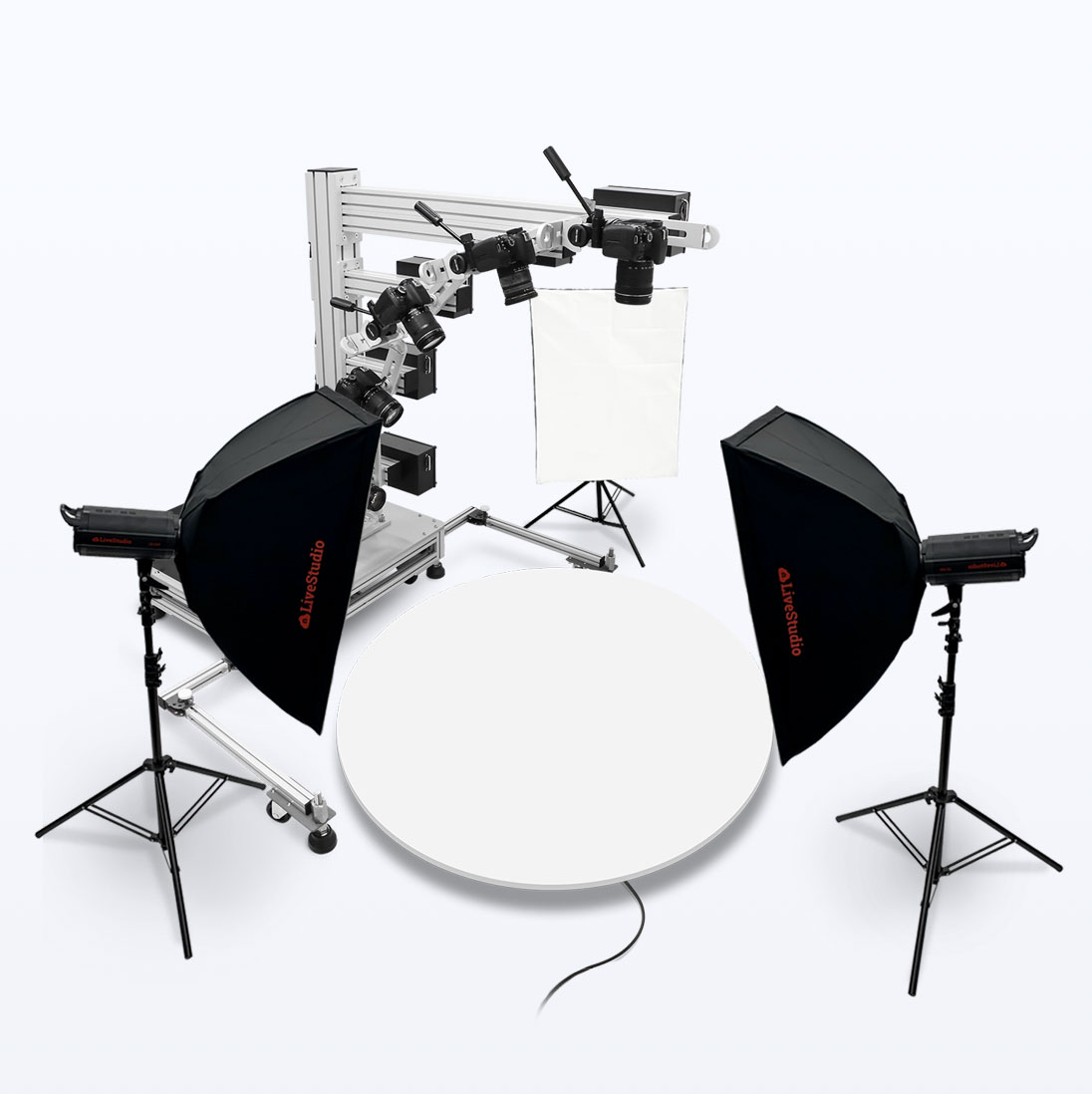
Manually, the 3D PhotoArm can be used with any camera, any lights and any turntable to create professional still shots and 3D animations. For fully automated results, the 3D PhotoArm was designed for use with Ortery’s PhotoCapture 360 Series of computer-controlled turntables.

The combo benefits include:

Proper Alignment:  The 3D PhotoArm and PhotoCapture 360 turntables were built to work together. The height of each unit was considered beforehand and the PhotoCapture 360 control software contains positioning tools to ensure proper alignment and positioning critical for creating professional hemispherical and full spherical animations.

Automated Image Capture:  In addition to remotely controlling all camera settings on a compatible Nikon or Canon camera, the PhotoCapture 360 control software also synchronizes turntable movement and picture taking to automate image capture. It’s fast. Creating a hemispherical animation with 72 pictures (3 rows with 24 pictures each) takes approximately 7 minutes.

Precise Positioning:  For hemispherical or full spherical image capture, the PhotoCapture 360 software guides the user to select the correct camera angle. Turntable movement is also very precise.

Image Management:  The PhotoCapture 360 software specifically creates an output folder that can be immediately imported into Ortery TruView 3D. No image resizing. No image renaming. No hassle.

Ortery TruView 3D turns regular JPG images into amazing 360, hemispherical or full spherical animations featuring deep zoom capabilities.

Captured RAW and JPG images can also be exported for use in any 3rd party dynamic imaging or hosting platform such as Scene 7.

Created in Silverlight. Features Deep Zoom and Image Tagging

TruView 3D Examples Page:

The dynamic 360 & 3D product animations below were composed using Ortery’s
TruView 3D Image authoring software. Click below to view individual examples.

Please specifiy the animation format: HTML + JavaScript Flash Silverlight

Looking to automate image capture? Ortery’s PhotoCapture 360, Photosimile5000 and 3D PhotoArm solutions offer unparalled workflows to increase imaging efficiencies.

  • 3D PhotoArm comes with Ortery TruView 3D software for composing cylindrical, hemispherical and full spherical animations in Flash, Silverlight and HTML+JavaScript (coming soon) formats
  • Works with any digital camera and lighting setup
  • Sturdy design holds digital camera with stability at every angle
  • Patented control box delivers USB connectivity and AC power to the camera
  • Fast camera positioning: 
    • Adjustable Horizontal Arm:  Easily crank camera up and down to the desired height 
    • Adjustable Camera Angle:   Easily crank camera to any specific angle between 0 and 90 degrees
  • Angle Guide denotes common angles for multi-row photography and repeatability
  • Guides camera along a perfect radius for hemispherical and full spherical image capture
  • Professional two-way clamps can be disengaged for rotating or engaged for tightening
  • Mobility with Balance: Roll the 3D PhotoArm to the desired location then lower and adjust each leg independently to stabilize and balance the unit 
  • Universal Tripod Head offers smooth, fine tuned tilt adjustment for any camera
  • Multiple joints and clamps provide precise camera positioning at any angle
  • When used with Ortery’s PhotoCapture 360 Series of computer-controlled turntables, the PhotoCapture software automates image capture for single row and multi-row animations. It also names and manages the images for quick composition using Ortery TruView 3D.  
  • 3D PhotoArm features excellent craftsmanship, free technical support and a one-year warranty


3D PhotoArm 2000 System Components:


Package Contents:

  • 30.1" x 26" x 15.2" Mechanical tank
  • 61.8" Vertical arm
  • 30.1" Horizontal arm
  • 15.7" x 15.7" x 4.6" Adjustable Turntable Stand
  • Ortery TruView 3D software package
  • Product Registration Sheet
  • Installation and Operation Guides
  • Free technical support (lifetime)
  • One-year warranty

System Specifications:

Min. Shooting Distance:

1.8"

Max. Shooting Distance:

45.87"

Max. Object Width:

48"

Shooting Angle:

0˚~90˚

Max. Weight of Camera & Lens:

4.5 Kg

Works best with PhotoCapture 360, 360M and 360L turntables

Ortery TruView 3D Software Requirements

  • OS: Windows® XP SP3, Windows Vista or Windows 7
    .NET Framework 3.5 SP1 or above
  • CPU:  Min. 1GHz
  • RAM:  Min. 2GB
  • VGA:  DirectX 9.0c compatible video card, Min. 1024 x 768 with true color
  • HDD:  Min. 4GB
  • CD ROM drive
  • Internet connection with active email account

+1-949-859-5580